TimePicker
A time of day on snapping wheels — hour, minute, optional second and AM/PM — in a bottom sheet or inline.
Installation
TimePicker ships with the library — install it once, then import:
import { TimePicker } from "@delacour/react-native-ui/time-picker";Or copy the source into your project, to own and edit it:
bunx delacour@latest add time-pickerIt needs the sheet engine
time-picker imports BottomSheet, so installing it installs @delacour/react-native-bottom-sheet
too — even if you only ever use presentation="inline". Mount
BottomSheetProvider once, inside
DelacourProvider, and rebuild the dev client.
Usage
import { TimePicker, type TimeValue } from "@/components/ui/time-picker";
import { useState } from "react";
import { View } from "react-native";

export default function Example() {
  const [time, setTime] = useState<TimeValue | null>(null);

  return (
    <View className="flex-1 justify-center p-4">
      <TimePicker value={time} onValueChange={setTime} />
    </View>
  );
}
The trigger is an Input's box, so it lines up with the fields around it. Pressing it opens a
sheet of wheels. onValueChange fires each time a wheel comes to rest; Done closes the sheet, and
swiping it away keeps the value.
The value is always 24-hour. { hour: 15, minute: 5 } is 3:05 PM whatever the clock shows;
hourCycle and locale change how it reads, never what is stored. null means "not set" and shows
the placeholder.
Minute step
minuteStep sets the minute wheel's granularity. A value off the step is rounded to it, not
refused.
<TimePicker minuteStep={15} placeholder="Pick a slot" value={time} onValueChange={setTime} />12 and 24 hours
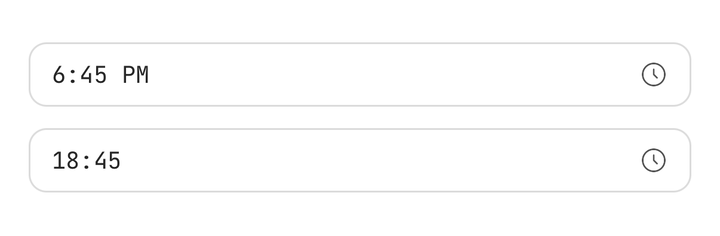
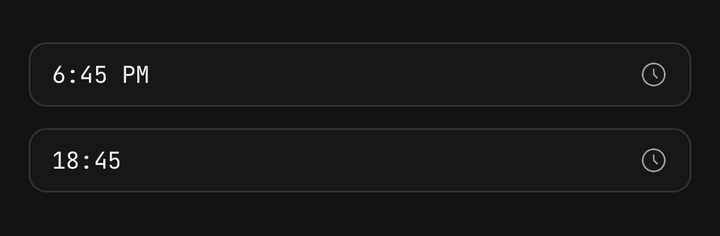
hourCycle defaults to "auto", which follows the locale. Set 12 or 24 to pin it.
<TimePicker hourCycle={12} locale="en-US" value={time} onValueChange={setTime} />
<TimePicker hourCycle={24} locale="en-GB" value={time} onValueChange={setTime} />
Bounds
minTime and maxTime dim the rows outside them. A wheel that comes to rest on a dimmed row moves
back to the nearest time that can be picked, so onValueChange never sees one.
<TimePicker
  minTime={{ hour: 9, minute: 0 }}
  maxTime={{ hour: 17, minute: 30 }}
  minuteStep={5}
  value={time}
  onValueChange={setTime}
/>
Inline
presentation="inline" draws the bare wheel in place — no trigger and no sheet.
<TimePicker presentation="inline" value={time} onValueChange={setTime} />TimePickerWheel is the same wheel with no picker around it, for a screen or another control that
composes one.
<TimePickerWheel minuteStep={5} value={time} onValueChange={setTime} />Seconds
showSeconds adds a third wheel, and the value carries a second field.
<TimePicker hourCycle={24} showSeconds value={time} onValueChange={setTime} />Controlled open
isOpen and onOpenChange drive the sheet from outside.
<TimePicker isOpen={open} onOpenChange={setOpen} value={time} onValueChange={setTime} />In a Field
Inside a Field the picker takes the field's invalid and disabled state, reads Field.Label as
its accessible name, and opens when the label is tapped. Write the parts out to change any of them.
<Field isInvalid={time === null}>
  <Field.Label>Reminder</Field.Label>
  <TimePicker clearable minuteStep={5} value={time} onValueChange={setTime}>
    <TimePicker.Trigger>
      <TimePicker.Value placeholder="Choose a reminder time" />
      <TimePicker.Icon />
    </TimePicker.Trigger>
    <TimePicker.Content title="Reminder time">
      <TimePicker.Wheel />
    </TimePicker.Content>
  </TimePicker>
  <Field.Error>{time === null ? "Pick a time for the reminder." : undefined}</Field.Error>
</Field>
Custom format
format replaces the locale's own reading of the time on the trigger.
<TimePicker
  format={(value) => `${value.hour}h${String(value.minute).padStart(2, "0")}`}
  value={time}
  onValueChange={setTime}
/>
Accessibility
The trigger is a button whose value is the formatted time, or "not set". Each wheel column is one adjustable element — "Hour", "Minute", "Second", "AM/PM" — so a screen reader swipes up or down to step a row instead of flicking a wheel. The rows themselves are hidden.
Time helpers
The subpath also exports the pure helpers the picker is built on, for a form that has to store, validate or show a time.
import { formatTime, parseTime, serialiseTime } from "@/components/ui/time-picker";

parseTime("09:30"); // { hour: 9, minute: 30 }
serialiseTime({ hour: 9, minute: 30 }); // "09:30"
formatTime({ hour: 15, minute: 5 }, { locale: "en-US", hourCycle: 12 }); // "3:05 PM"
API Reference
Anatomy
| Part | What it is |
|---|---|
TimePicker | Owns the value, the open state, the clock and the sheet |
TimePicker.Trigger | The field-shaped control that opens the sheet |
TimePicker.Value | The formatted time, or the placeholder |
TimePicker.Icon | The trigger's glyph — a clock unless you pass another |
TimePicker.Content | The sheet: scrim, panel, title, body and footer |
TimePicker.Wheel | The wheel, wired to the picker |
TimePicker.Done | Closes the sheet, committing an untouched wheel's time |
TimePicker.Clear | Sets the value to null and closes |
TimePicker
Prop
Type
TimePicker.Content
Prop
Type
TimePickerWheel
Prop
Type
useTimePicker
Reads the enclosing picker — value, setValue, isOpen, open, close, hourCycle, locale,
display, isDisabled, isInvalid and the rest — for a custom trigger or footer. Throws outside a
TimePicker; useTimePickerContext() returns null instead.