Frame
A titled shell around a card of divided rows, with sections and a footer.
Installation
Frame ships with the library — install it once, then import:
import { Frame } from "@delacour/react-native-ui/frame";Or copy the source into your project, to own and edit it:
bunx delacour@latest add frameUsage
import { Frame } from "@/components/ui/frame";
import { Item } from "@/components/ui/item";
import { Switch } from "@/components/ui/switch";
import { useState } from "react";
import { View } from "react-native";

export default function Example() {
  const [isPush, setIsPush] = useState(true);

  return (
    <View className="flex-1 justify-center p-4">
      <Frame>
        <Frame.Header>
          <Frame.Title>Notifications</Frame.Title>
          <Frame.Action onPress={() => {}}>Manage</Frame.Action>
        </Frame.Header>
        <Frame.Tray>
          <Item>
            <Item.Content>
              <Item.Title>Push</Item.Title>
            </Item.Content>
            <Item.Actions>
              <Switch isSelected={isPush} onSelectedChange={setIsPush} />
            </Item.Actions>
          </Item>
        </Frame.Tray>
      </Frame>
    </View>
  );
}
Anatomy
<Frame>
  <Frame.Header>
    <Frame.Title />
    <Frame.Description />
    <Frame.Action />
  </Frame.Header>
  <Frame.Tray>
    <Item />
    <Frame.Section title="…">
      <ListGroup.Item />
    </Frame.Section>
  </Frame.Tray>
  <Frame.Footer />
</Frame>
Frame owns the shell and nothing else. Rows are Item or ListGroup.Item: placed in Frame.Tray they
become grouped rows — the tray's size, fade feedback, no card drawn inside the card. There is no
Frame.Row. Frame.Action sits at the end of the header wherever in the header it is written, and the
title wraps in the width it leaves.
Variants
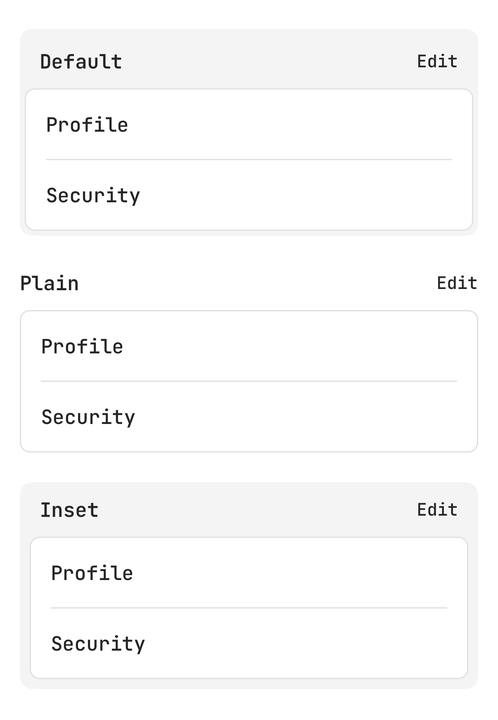
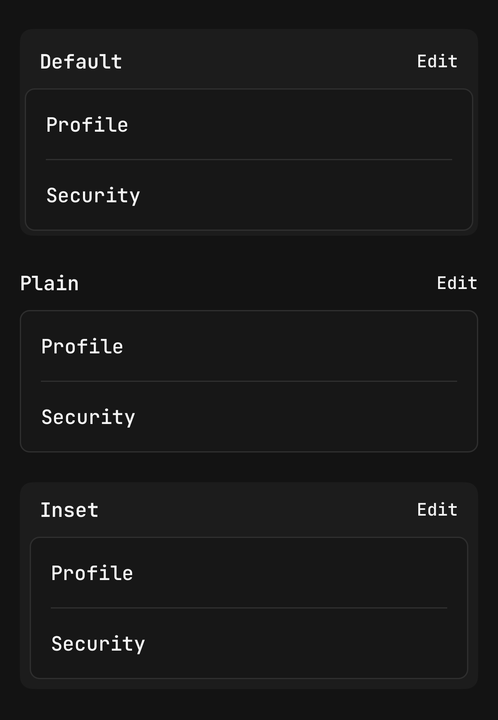
<Frame>…</Frame>
<Frame variant="inset">…</Frame>
<Frame variant="plain">…</Frame>| Variant | Shell | Use it for |
|---|---|---|
default | A tinted fill with a 4pt lip around the tray | A group of settings on a page |
inset | A tinted band of 8pt on every side, holding the footer | A decision: the rows and the buttons that act on them |
plain | Nothing | A frame already inside a bordered container |
The shell steps on the surface ladder, so a frame inside a Card steps to the next fill rather than
vanishing into it.
Sizes
sm, md and lg step the title and hand the tray the same ListGroup size, so every row follows.
<Frame size="sm">…</Frame>
<Frame size="lg">…</Frame>
Sections
Frame.Section clusters rows under a muted caption inside one tray. A full-bleed rule sets each cluster
off; rows inside a cluster keep the inset rule. With a title it is announced as a summary labelled by that
title, so a screen reader names the cluster once.
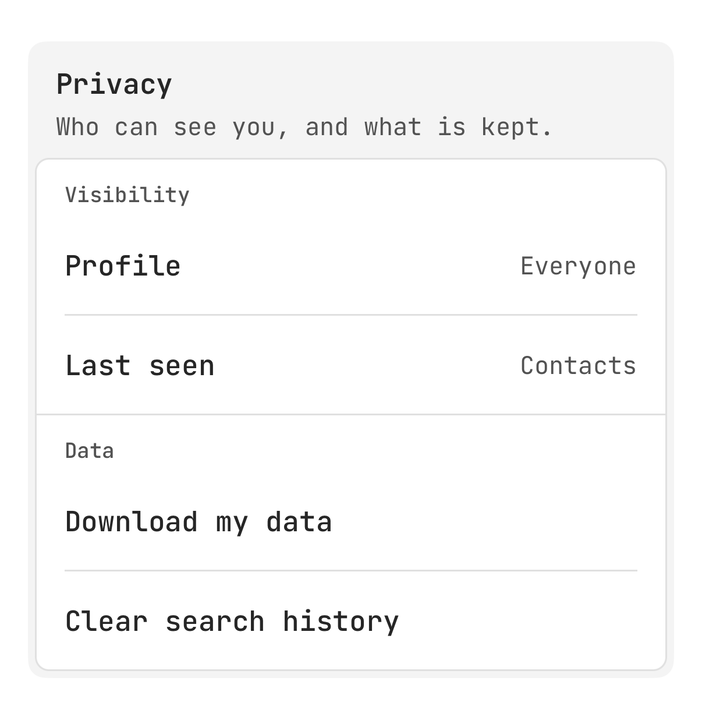
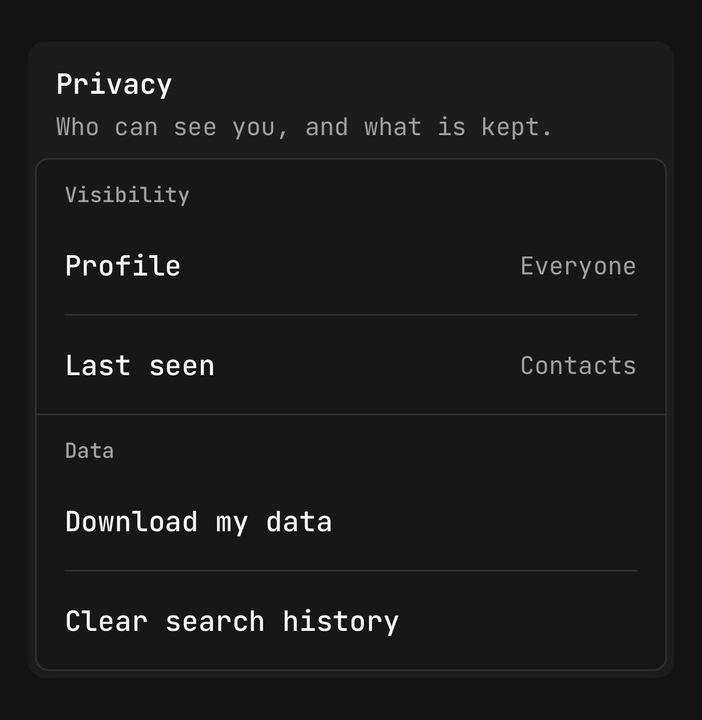
<Frame.Tray>
  <Frame.Section title="Visibility">
    <ListGroup.Item>Profile</ListGroup.Item>
    <ListGroup.Item>Last seen</ListGroup.Item>
  </Frame.Section>
  <Frame.Section title="Data">
    <ListGroup.Item>Download my data</ListGroup.Item>
  </Frame.Section>
</Frame.Tray>
Footer and decisions
Frame.Footer sits under the tray. align places its children: end (the default), start, between,
or stretch, which gives each child an equal share of the row.
<Frame variant="inset">
  <Frame.Header>
    <Frame.Title>Close project</Frame.Title>
  </Frame.Header>
  <Frame.Tray>…</Frame.Tray>
  <Frame.Footer align="stretch">
    <Button variant="secondary" onPress={cancel}>Cancel</Button>
    <Button onPress={save}>Save</Button>
  </Frame.Footer>
</Frame>
Member lists
<Frame>
  <Frame.Header>
    <Frame.Title>Members</Frame.Title>
    <Frame.Action accessibilityRole="link" onPress={invite}>Invite</Frame.Action>
  </Frame.Header>
  <Frame.Tray>
    {members.map((member) => (
      <Item key={member.id} onPress={() => open(member)}>
        <Item.Media>
          <Avatar name={member.name} size="sm" />
        </Item.Media>
        <Item.Content>
          <Item.Title>{member.name}</Item.Title>
          <Item.Description>{member.role}</Item.Description>
        </Item.Content>
      </Item>
    ))}
  </Frame.Tray>
</Frame>
Frame, Card or ListGroup
| Is | Reach for it when | |
|---|---|---|
ListGroup | A card of divided rows | The rows need no title of their own |
Card | One content surface: header, body and footer inside one fill | The content is a block, not a list |
Frame | A title outside a card of rows, with sections and a footer | A group of rows has a name, an action, or a decision under it |
API Reference
Frame
Extends React Native's ViewProps.
Prop
Type
Frame.Header
The strip above the tray. Stacks a title and description and puts any Frame.Action at the end. Bare text
becomes a Frame.Title. Extends ViewProps.
Frame.Title
The heading, announced as a header. Extends Text's props.
Frame.Description
The muted line under the title. Extends Text's props.
Frame.Action
A text link with a 44pt hit target. A Pressable, so haptic, busy and asChild come from there;
feedback defaults to fade. Announced as a button — pass accessibilityRole="link" when it navigates.
Prop
Type
Frame.Tray
The card of rows, announced as a list. Extends ViewProps.
Prop
Type
Frame.Section
Extends ViewProps.
Prop
Type
Frame.Footer
Extends ViewProps.
Prop
Type
useFrame
Reads the enclosing frame's variant and size, for a custom part that has to match it. Throws outside a
Frame.