Select
A closed set of choices behind a field-shaped trigger, picked from a bottom sheet.
Installation
Select ships with the library — install it once, then import:
import { Select } from "@delacour/react-native-ui/select";Or copy the source into your project, to own and edit it:
bunx delacour@latest add selectMount BottomSheetProvider
The options open in a BottomSheet, so the app installs
@delacour/react-native-bottom-sheet and mounts BottomSheetProvider once, inside
DelacourProvider. Without it the trigger renders and the sheet never opens.
Usage
import { Select } from "@/components/ui/select";
import { useState } from "react";
import { View } from "react-native";

export default function Example() {
  const [fruit, setFruit] = useState<string | null>(null);

  return (
    <View className="flex-1 justify-center p-4">
      <Select onValueChange={setFruit} placeholder="Choose a fruit" title="Fruit" value={fruit}>
        <Select.Item label="Apple" value="apple" />
        <Select.Item label="Feijoa" value="feijoa" />
        <Select.Item description="Green or gold" label="Kiwifruit" value="kiwifruit" />
        <Select.Item isDisabled label="Durian" value="durian" />
      </Select>
    </View>
  );
}
Multiple
selectionMode="multiple" keeps the sheet open, closes from a Done footer, and hands onValueChange an array.
<Select
  maxSelected={3}
  onValueChange={setToppings}
  options={toppings}
  selectionMode="multiple"
  value={selected}
/>
Groups
Select.Group puts a heading over a run of options, announced as a header.
<Select placeholder="Choose a city">
  <Select.Group label="Aotearoa">
    <Select.Item label="Auckland" value="akl" />
    <Select.Item label="Wellington" value="wlg" />
  </Select.Group>
  <Select.Group label="Australia">
    <Select.Item label="Sydney" value="syd" />
  </Select.Group>
</Select>
Searchable
isSearchable adds a search field that matches case- and accent-insensitively, hides emptied groups, and clears on close.
<Select isSearchable options={cities} searchPlaceholder="Search cities" />Data-driven
The options prop takes options and { label, options } groups in the same shape as the children, and the rows are virtualised.
const options = [
  { label: "Free", value: "free" },
  { label: "Team", value: "team", description: "Up to ten seats" },
];

<Select options={options} placeholder="Choose a plan" />;
In a Field
Inside a Field the select takes its invalid and disabled state, reads Field.Label as its name and sheet title, and opens when the label is tapped.
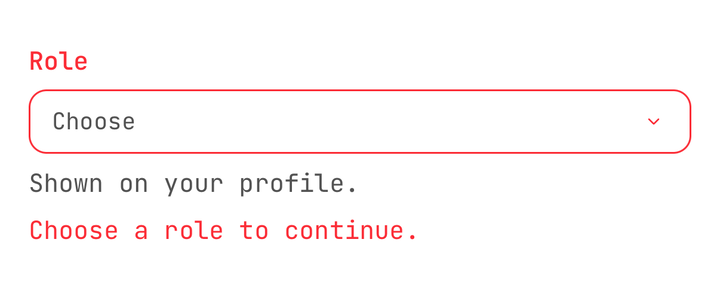
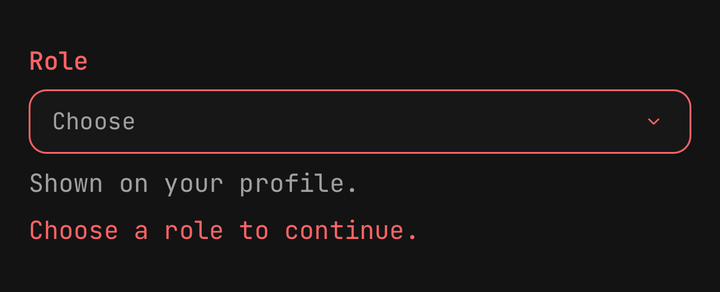
<Field isInvalid={role === null}>
  <Field.Label>Role</Field.Label>
  <Select onValueChange={setRole} options={roles} placeholder="Choose" value={role} />
  <Field.Error>Choose a role to continue.</Field.Error>
</Field>
States
isDisabled fades the trigger, isReadOnly shows the value and never opens, and isLoading swaps the chevron for a spinner.
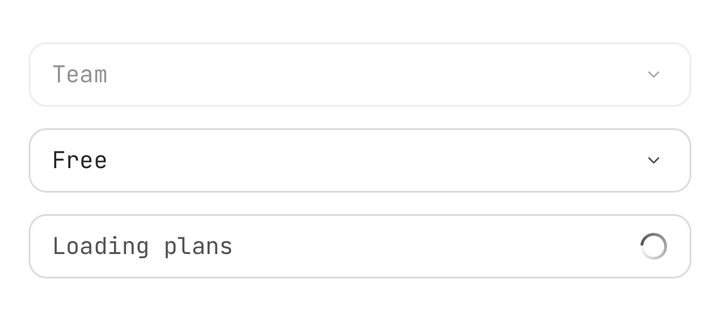
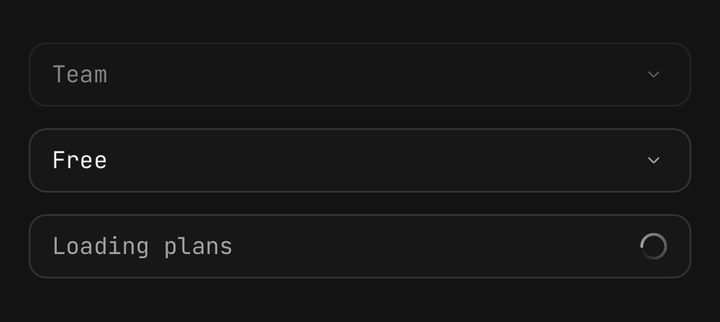
<Select isDisabled options={plans} value="team" />
<Select isReadOnly options={plans} value="free" />
<Select isLoading options={[]} placeholder="Loading plans" />
Custom trigger
Compose Select.Trigger with asChild to open the sheet from a control of your own.
<Select onValueChange={setSort} options={sorts} title="Sort by" value={sort}>
  <Select.Trigger asChild>
    <Button variant="outline">Sort</Button>
  </Select.Trigger>
</Select>
API Reference
Anatomy
| Part | What it is |
|---|---|
Select | The root: owns the selection, renders the trigger and the sheet |
Select.Item | One option, declared as a child. Renders nothing; the root reads its props |
Select.Group | A titled run of Select.Items |
Select.Trigger | The field-shaped control that opens the sheet. Compose it only to replace it |
Select
Prop
Type
Select.Item
Prop
Type
Select.Group
Prop
Type
Select.Trigger
A Pressable, so feedback, haptic and the rest are inherited.
Prop
Type
Exports
import {
  Select,
  useSelect,
  type SelectProps,
  type SelectOption,
  type SelectOptionGroup,
  matchesQuery,
  toggleSelection,
  resolveSelectTriggerText,
} from "@delacour/react-native-ui/select";