PageHeader
The head of a profile or place screen — a cover, an overlapping avatar, a title block, actions and stats.
Installation
PageHeader ships with the library — install it once, then import:
import { PageHeader } from "@delacour/react-native-ui/page-header";Or copy the source into your project, to own and edit it:
bunx delacour@latest add page-headerUsage
import { Button } from "@/components/ui/button";
import { IconMapPin } from "@/lib/icons/central";
import { PageHeader } from "@/components/ui/page-header";
import { Screen } from "@/components/ui/screen";

export default function Profile() {
  return (
    <Screen>
      <Screen.Navbar placement="overlay" />
      <Screen.ScrollArea
        header={
          <PageHeader>
            <PageHeader.Cover source={{ uri: "https://example.com/cover.jpg" }} />
            <PageHeader.Avatar isVerified name="Aria Whitlock" source={{ uri: "https://example.com/aria.jpg" }} />
            <PageHeader.Content>
              <PageHeader.Title>Aria Whitlock</PageHeader.Title>
              <PageHeader.Meta icon={IconMapPin}>Auckland, New Zealand</PageHeader.Meta>
              <PageHeader.Description>Product designer. Weekends on the water.</PageHeader.Description>
            </PageHeader.Content>
            <PageHeader.Actions>
              <Button>Follow</Button>
            </PageHeader.Actions>
            <PageHeader.Stats isDivided>
              <PageHeader.Stat label="Followers" onPress={() => {}} value={1234} />
              <PageHeader.Stat label="Posts" value={87} />
              <PageHeader.Stat label="Following" value={312} />
            </PageHeader.Stats>
          </PageHeader>
        }
      />
    </Screen>
  );
}
Anatomy
<PageHeader>
  <PageHeader.Cover />
  <PageHeader.Avatar />
  <PageHeader.Content>
    <PageHeader.Title />
    <PageHeader.Meta />
    <PageHeader.Description />
  </PageHeader.Content>
  <PageHeader.Actions />
  <PageHeader.Stats>
    <PageHeader.Stat />
  </PageHeader.Stats>
</PageHeader>
Every part is optional and drawn in the order you write it. The header degrades one part at a time: no cover, and the face does not lift; no stats, and nothing is left behind.
Cover
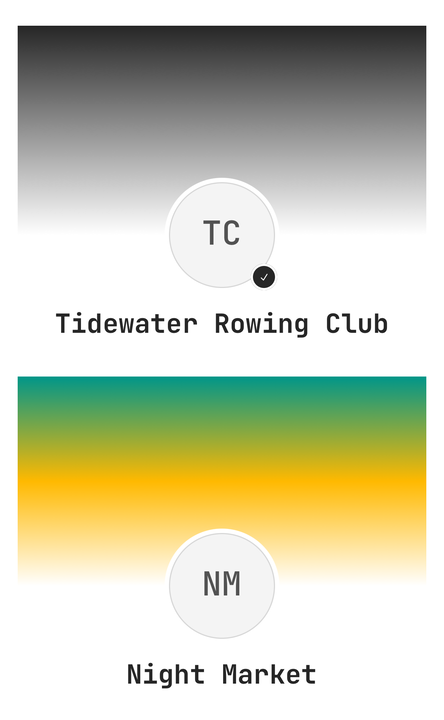
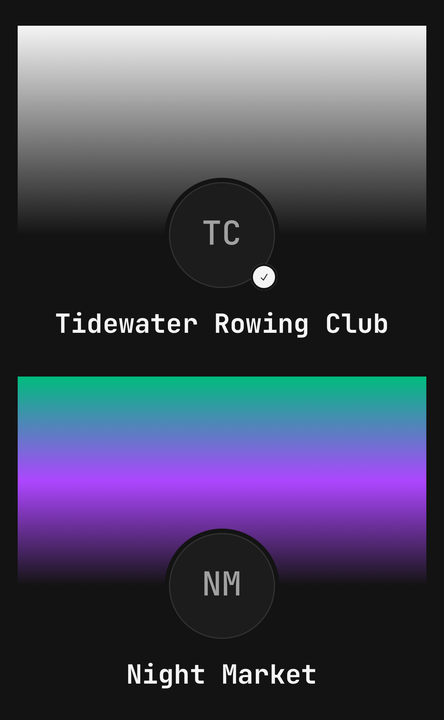
A picture, or a gradient. The gradient is always painted and the picture is drawn over it, so a slow or
broken URL shows the theme's gradient rather than an empty box — there is no loading state to manage.
With no source the default fades primary into the page; pass two to four theme tokens or colours of
your own.
<PageHeader.Cover source={{ uri: team.cover }} accessibilityLabel="The clubhouse at dusk" />
<PageHeader.Cover colors={["chart-2", "chart-4", "background"]} height={96} />
In the page variant the cover reaches the top of the screen. Inside a Screen it runs under the status
bar and an overlay navbar with no gap; outside one it grows by the safe-area inset. Pass
isInsetAware={false} to keep it at its own height. Children are an overlay — a back button pinned to a
corner — and start below that inset, so they never sit under the clock.
Without an accessibilityLabel the picture is decorative and hidden from screen readers. An overlaid
button stays reachable either way.
Avatar and overlap
PageHeader.Avatar is an Avatar in a ring of the header's own ground — the page background, or the
card's fill — so a face lifted over a photo is cut out cleanly. With a cover mounted it lifts by half its
size, so its middle sits on the cover's edge. Centred, it defaults to 2xl (96pt); on the leading edge,
xl (64pt).
isVerified draws a rosette in the corner and appends ", verified" to the avatar's spoken label. badge
replaces the rosette with your own content; isOverlapping={false} keeps the face below the cover.
Alignment


<PageHeader align="start">…</PageHeader>center stacks the face, the text, the actions and the stats down the middle. start puts them on the
leading edge, for a header that shares the screen with a busier body.
Stats
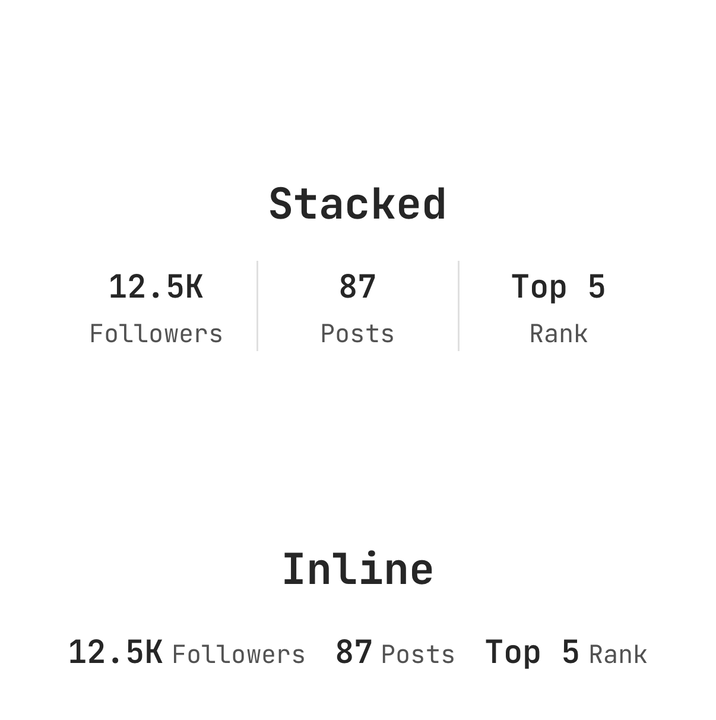
<PageHeader.Stats layout="stacked" isDivided>
  <PageHeader.Stat label="Followers" value={12500} />
  <PageHeader.Stat label="Posts" value={87} />
  <PageHeader.Stat label="Rank" value="Top 5" />
</PageHeader.Stats>
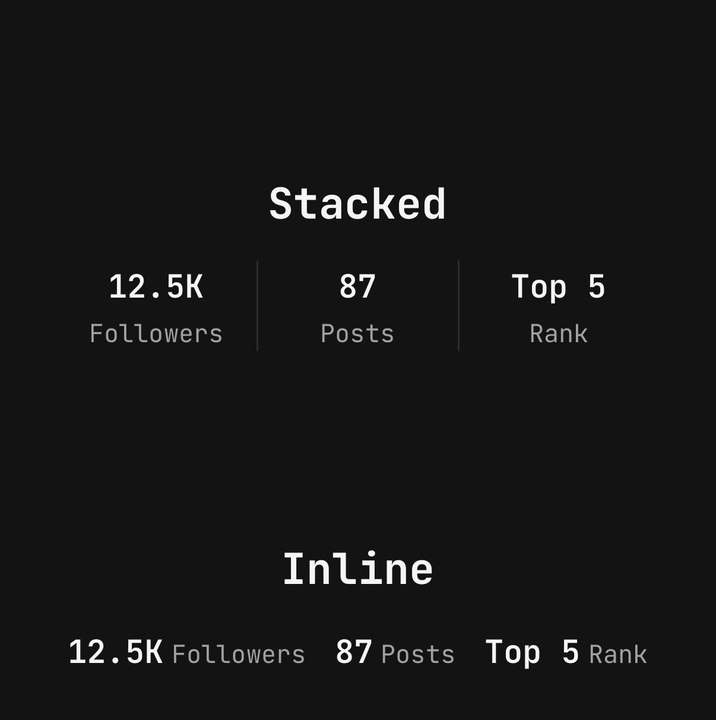
stacked puts each value over its label in equal-width cells, so the middle stat stays under the title
however wide the labels are. inline runs each value into its label and wraps. isDivided adds hairlines
between them.
A number is compacted on screen — 1234 is 1.2K, 999950 is 1M — and read in full: a screen reader
hears "1,234 Followers". A string is drawn and read as given. Give a stat onPress and it becomes a button.
Card variant
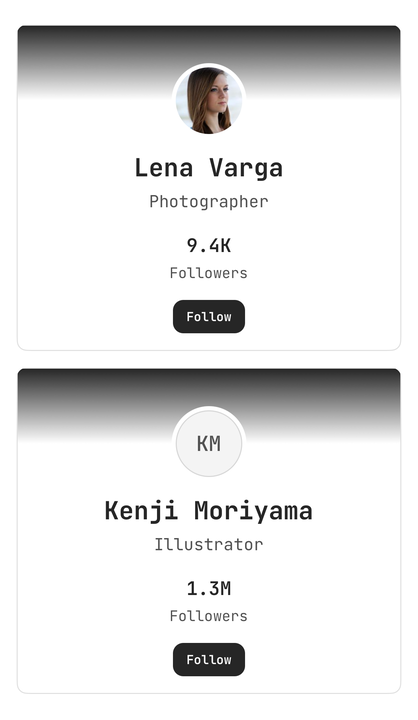
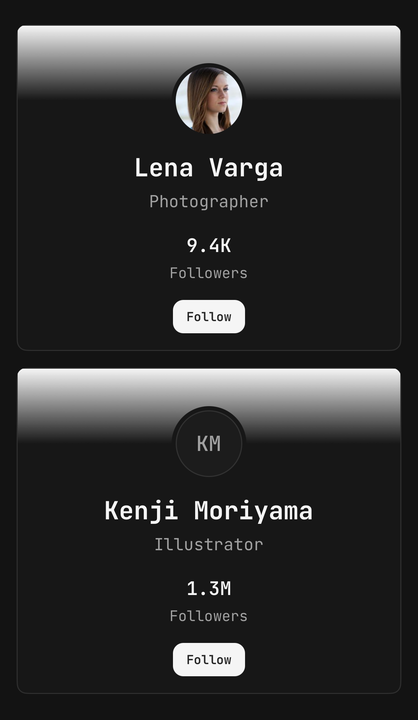
<PageHeader variant="card" align="start">…</PageHeader>card is a clipped Surface: the cover is cut by its corner, the ring matches the card, and nothing
reaches under the status bar. A column of them is a list of people.
Inside a Screen
Pass PageHeader to a scrollable's header prop directly. Do not wrap it in Screen.Header — that is a
plain titled block, and wrapping one in the other adds a view for nothing. In the page variant the
header takes the screen's side gutter back so its cover meets both edges, and its parts restore the
gutter on themselves.
Accessibility
PageHeader.Titleis announced as a heading. The whole header is not, so its buttons stay reachable.- The avatar is one element;
isVerifiedis part of its label. - Each stat is one element labelled with the full number and its label; a pressable stat is a button.
- Dividers and a decorative cover's picture are hidden from assistive technology.
- Text scales with the system font size; stacked labels wrap to two lines instead of clipping.
API Reference
PageHeader
Extends React Native's ViewProps.
Prop
Type
PageHeader.Cover
Extends ViewProps.
Prop
Type
PageHeader.Avatar
Extends Avatar's props.
Prop
Type
PageHeader.Content
The column holding the title, meta and description. Extends ViewProps.
PageHeader.Title
Text.Title on one line, announced as a heading. Renders nothing when empty. Extends Text's props.
PageHeader.Description
Text.Paragraph on the muted token, three lines by default. Extends Text's props.
PageHeader.Meta
Prop
Type
PageHeader.Actions
A wrapping row of your buttons. Extends ViewProps.
PageHeader.Stats
Extends ViewProps.
Prop
Type
PageHeader.Stat
Extends ViewProps.
Prop
Type
usePageHeader
Reads the enclosing header's state, for a custom part. Throws outside a <PageHeader>.
Prop
Type