Table
Rows and columns of short values, lined up by one set of column rules.
Installation
Table ships with the library — install it once, then import:
import { Table } from "@delacour/react-native-ui/table";Or copy the source into your project, to own and edit it:
bunx delacour@latest add tableUsage
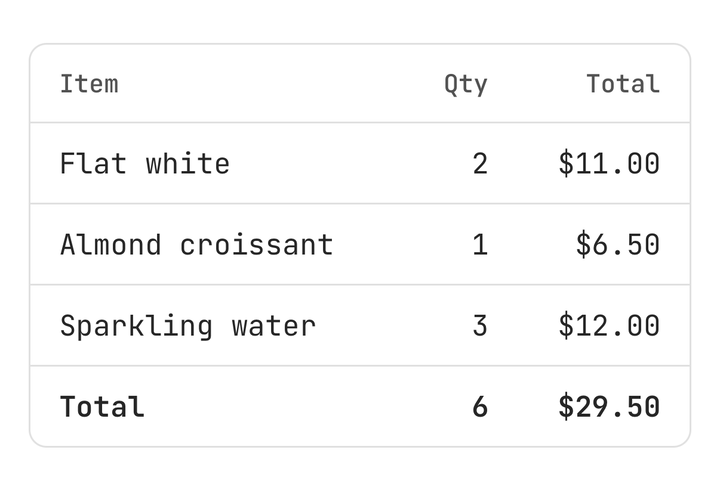
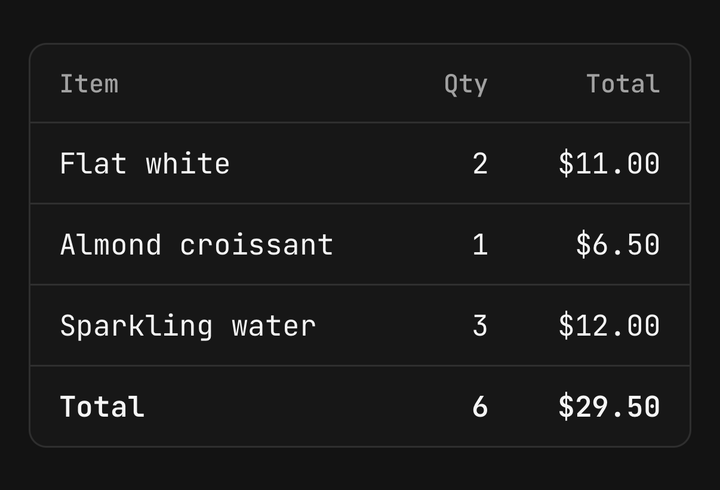
import { Table } from "@/components/ui/table";
import { View } from "react-native";

const LINES = [
  { id: "1", item: "Espresso beans, 1kg", qty: 2, total: "$64.00" },
  { id: "2", item: "Oat milk, 6-pack", qty: 1, total: "$18.50" },
  { id: "3", item: "Paper filters", qty: 3, total: "$12.00" },
];

export default function Example() {
  return (
    <View className="flex-1 justify-center p-4">
      <Table columns={[{ flex: 2 }, { width: 56, align: "end" }, { width: 88, align: "end" }]} variant="outline">
        <Table.Header>
          <Table.Row>
            <Table.Head>Item</Table.Head>
            <Table.Head>Qty</Table.Head>
            <Table.Head>Total</Table.Head>
          </Table.Row>
        </Table.Header>
        <Table.Body>
          {LINES.map((line) => (
            <Table.Row key={line.id}>
              <Table.Cell>{line.item}</Table.Cell>
              <Table.Cell>{line.qty}</Table.Cell>
              <Table.Cell>{line.total}</Table.Cell>
            </Table.Row>
          ))}
        </Table.Body>
        <Table.Caption>Prices include GST</Table.Caption>
      </Table>
    </View>
  );
}
Columns
Declare each column once on the table — { flex } shares the leftover width, { width } is fixed — and every row reads it by cell index.
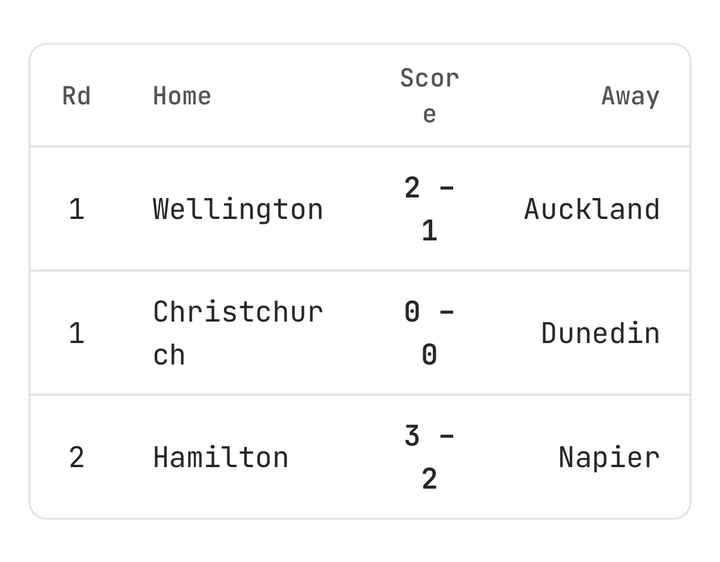
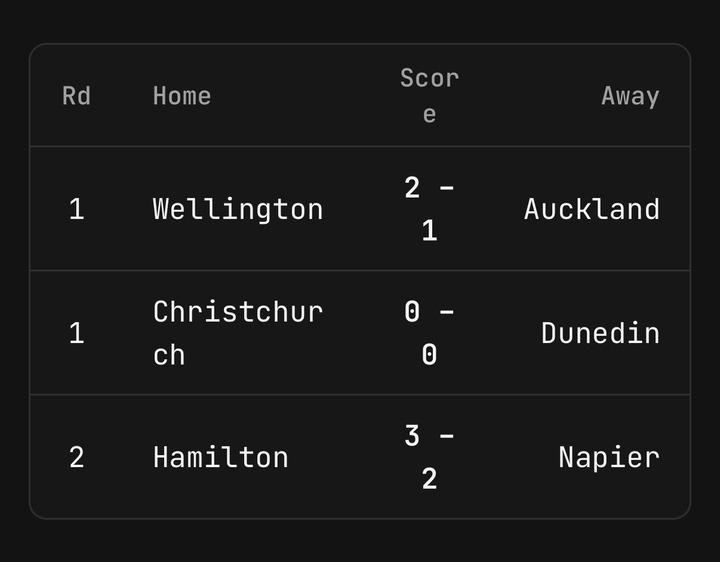
<Table columns={[{ flex: 1 }, { width: 72, align: "center" }, { width: 96, align: "end" }]}>…</Table>
<Table.Cell column={{ align: "start" }}>Overrides one cell</Table.Cell>
Sorting
A head with sort is a button that draws its direction; the caller reorders the rows in onPress.
<Table.Head sort={{ direction: "desc", onPress: toggleQty }}>Qty</Table.Head>
<Table.Head sort={{ onPress: sortByName }}>Name</Table.Head>
Selection
onPress makes the whole row one button, and isSelected paints it on the accent.
<Table.Row onPress={() => setSelected(row.id)} isSelected={row.id === selected}>…</Table.Row>Sizes and stripes
<Table size="sm" striped>…</Table>
<Table size="md">…</Table>
Frame
Table.Frame puts the table in a card under a title, a description and an action.
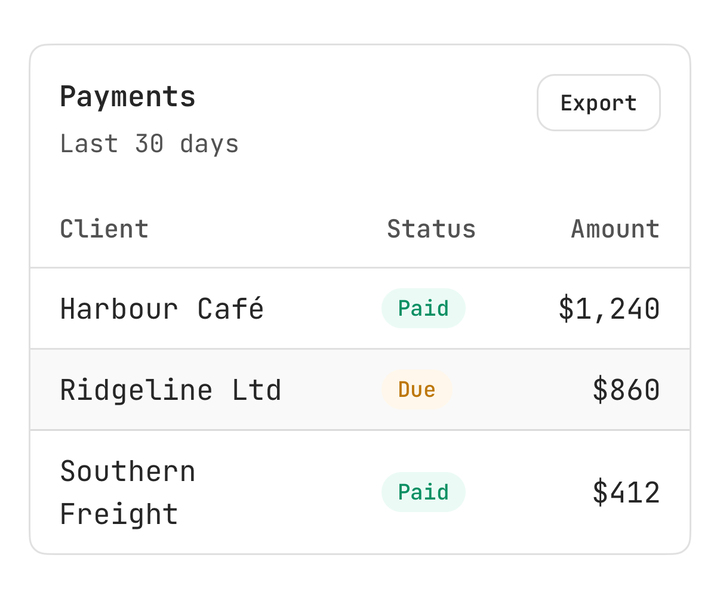
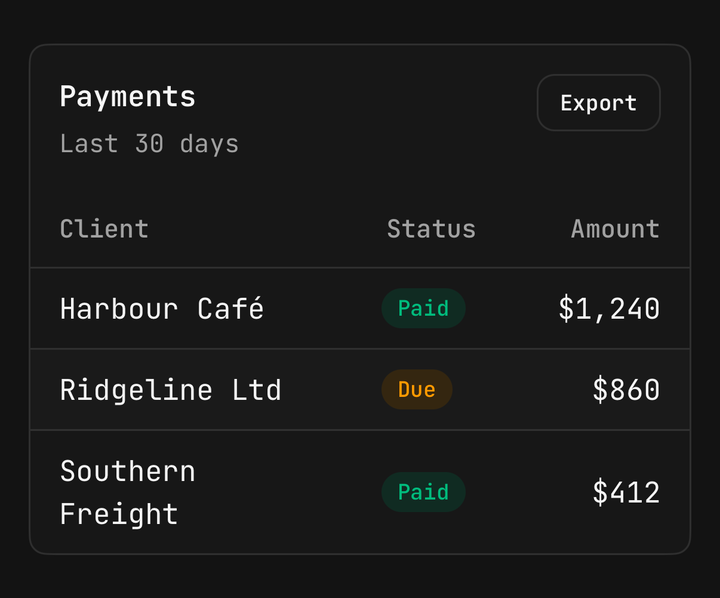
<Table.Frame title="Invoices" description="Last 30 days" action={<Button size="sm">Export</Button>}>
  <Table columns={columns}>…</Table>
</Table.Frame>
Empty
Table.Empty inside Table.Body shows when there are no rows, and the header stays.
<Table.Body>
  {rows.map((row) => <Table.Row key={row.id}>…</Table.Row>)}
  <Table.Empty>No invoices yet</Table.Empty>
</Table.Body>
Wide tables
A minWidth wider than the screen scrolls sideways, with a fade at each edge that has more columns past it.
<Table minWidth={640} columns={columns}>…</Table>Long tables
Render rows from a FlatList inside the table and pass each row its index and isLast.
<Table columns={columns} striped>
  <Table.Header>…</Table.Header>
  <FlatList
    data={rows}
    keyExtractor={(row) => row.id}
    renderItem={({ item, index }) => (
      <Table.Row index={index} isLast={index === rows.length - 1}>…</Table.Row>
    )}
  />
</Table>
Rows count their cells from direct children. A Table.Cell behind a wrapper component reads as the first column.
Accessibility
Each cell is announced with its column's heading — "Qty, 3" — a pressable row reads all of its cells as one button, and a sortable head announces its sort state.
API Reference
Anatomy
| Part | What it is |
|---|---|
Table | Owns the columns, size, variant and stripes, and the horizontal scroll |
Table.Header | The heading rows |
Table.Body | The data rows; publishes each row's position |
Table.Footer | Totals, ruled off from the body |
Table.Row | One row; a button with onPress |
Table.Head | One column heading; a sort button with sort |
Table.Cell | One value |
Table.Caption | A note drawn under the table |
Table.Empty | Shown in place of the body's rows when there are none |
Table.Frame | A card with a header tray around a flush table |
Table
Extends ViewProps.
Prop
Type
Table.Row
Extends ViewProps.
Prop
Type
Table.Head
Extends ViewProps.
Prop
Type
Table.Cell
Extends ViewProps.
Prop
Type
Table.Frame
Extends CardProps.
Prop
Type
Table.Header, Table.Body, Table.Footer, Table.Empty and Table.Caption
The sections and Table.Empty extend ViewProps; Table.Caption extends TextProps.
Prop
Type
Exports
import {
  Table,
  type TableProps,
  type TableColumn,
  type TableHeadSort,
  TABLE_SIZES,
  TABLE_VARIANTS,
  useTable,
} from "@delacour/react-native-ui/table";