OtpInput
A one-time code or PIN — cells drawn over one hidden field, with autofill and paste.
Installation
OtpInput ships with the library — install it once, then import:
import { OtpInput } from "@delacour/react-native-ui/otp-input";Or copy the source into your project, to own and edit it:
bunx delacour@latest add otp-inputUsage
import { OtpInput } from "@/components/ui/otp-input";
import { View } from "react-native";

export default function Example() {
  return (
    <View className="flex-1 items-center justify-center p-4">
      <OtpInput groupSize={3} onComplete={(code) => console.log(code)} />
    </View>
  );
}
Autofill
iOS offers the code from Messages on the QuickType bar and Android's autofill service offers it from an SMS, with nothing to configure in the app.
Neither kind of autofill can be exercised on a simulator. A paste can — the iOS Simulator's pasteboard follows the Mac's.
Completion
onComplete fires once when the last cell fills, with a success haptic and the keyboard dismissed.
<OtpInput onComplete={verify} />
<OtpInput blurOnComplete={false} haptic={false} onComplete={verify} />
Pattern and keyboard
pattern decides which characters a cell takes, and "digits" shows the number pad.
<OtpInput length={6} pattern="digits" />
<OtpInput length={8} pattern="alphanumeric" groupSize={4} />
<OtpInput length={6} pattern={/[0-9A-F]/} />
Groups and separators
groupSize splits the row into runs of cells with a short rule between them.
<OtpInput groupSize={3} />
<OtpInput length={8} groupSize={4} />
Write the anatomy out for any other shape.
<OtpInput length={8}>
  <OtpInput.Group>
    <OtpInput.Slot index={0} />
    <OtpInput.Slot index={1} />
    <OtpInput.Slot index={2} />
  </OtpInput.Group>
  <OtpInput.Separator />
  <OtpInput.Group>
    <OtpInput.Slot index={3} />
    <OtpInput.Slot index={4} />
  </OtpInput.Group>
  <OtpInput.Separator />
  <OtpInput.Group>
    <OtpInput.Slot index={5} />
    <OtpInput.Slot index={6} />
    <OtpInput.Slot index={7} />
  </OtpInput.Group>
</OtpInput>
Masking and placeholder
isMasked draws • in filled cells without switching off autofill, and placeholder dims one character into each empty cell.
<OtpInput isMasked length={4} size="lg" />
<OtpInput placeholder="○" />
Sizes and variants
Input's own axes, so a code field sits level with a text field beside it.
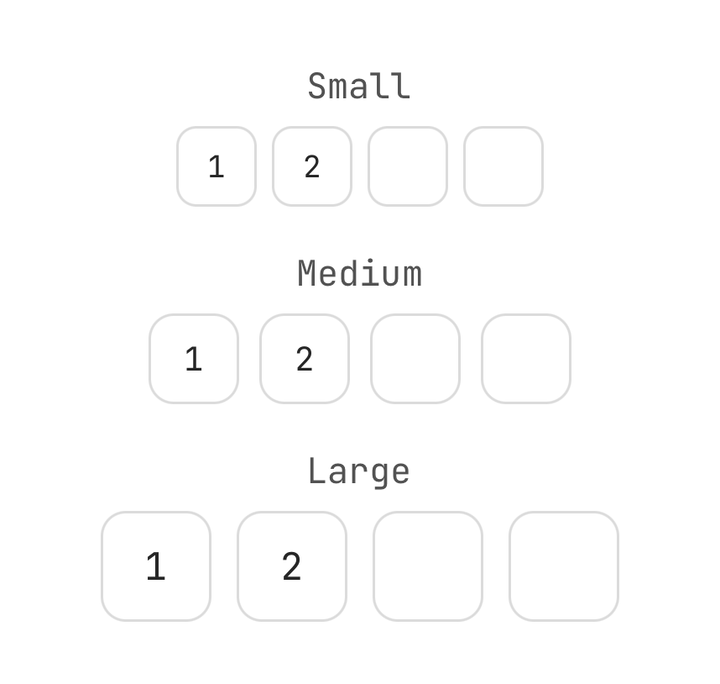
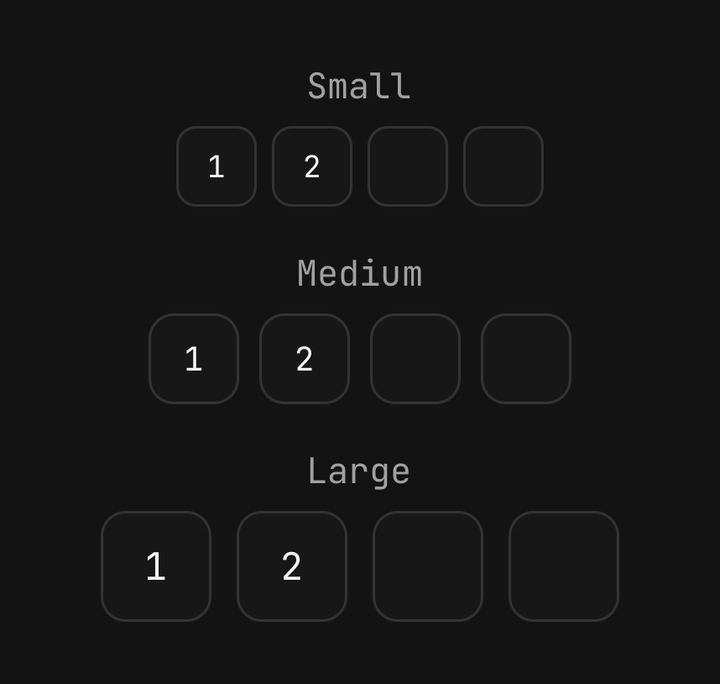
<OtpInput size="sm" />
<OtpInput size="md" />
<OtpInput size="lg" />
<OtpInput variant="secondary" />
States
Invalid paints every cell destructive and stays so while focused; disabled fades the row and takes no input.
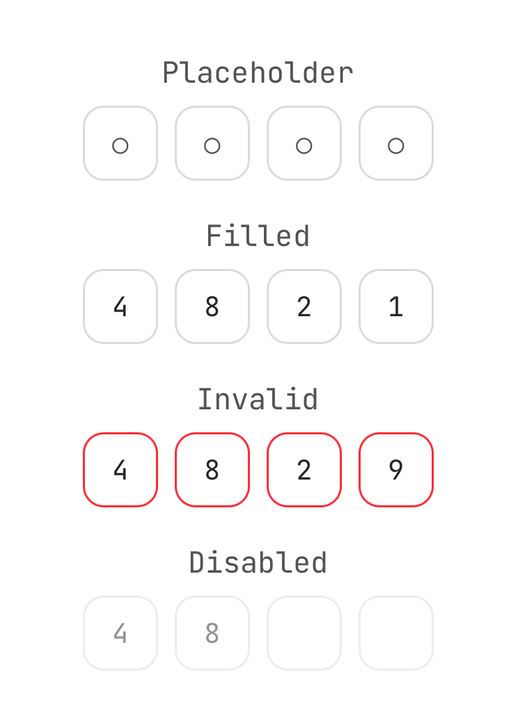
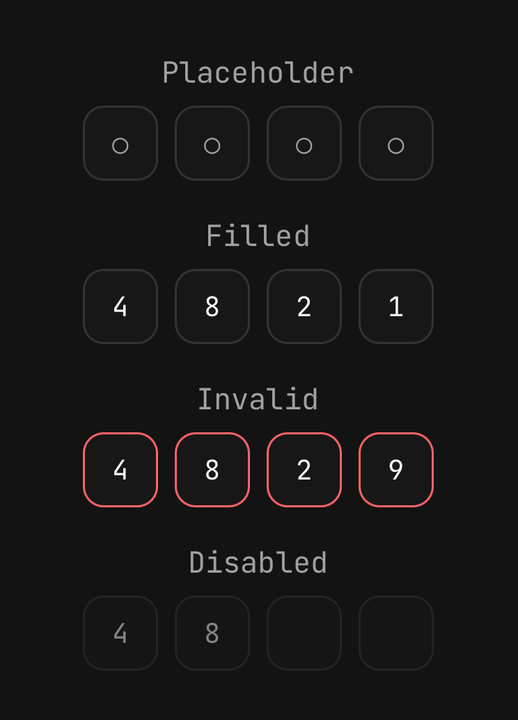
<OtpInput length={4} placeholder="○" />
<OtpInput defaultValue="4821" length={4} />
<OtpInput defaultValue="4829" isInvalid length={4} />
<OtpInput defaultValue="48" isDisabled length={4} />
In a form
A Field cascades isInvalid and isDisabled, and its label names and focuses the field.
<Field isInvalid={isWrong}>
  <Field.Label>Verification code</Field.Label>
  <OtpInput groupSize={3} onComplete={verify} />
  <Field.Error>That code is incorrect.</Field.Error>
</Field>
Imperative ref
ref exposes focus(), blur() and clear().
const ref = useRef<OtpInputRef>(null);

ref.current?.clear();
ref.current?.focus();
Accessibility
The row is one element to a screen reader, read as "1 2 3" or, masked, "2 of 4 digits entered".
<OtpInput accessibilityLabel="Card PIN" isMasked length={4} />API Reference
Anatomy
| Part | What it is |
|---|---|
OtpInput | Owns the value and the hidden field. With no children, draws the row from length and groupSize |
OtpInput.Group | A row of cells |
OtpInput.Slot | One cell — its character, the mask or the placeholder, and the caret while active |
OtpInput.Separator | A short rule between groups |
OtpInput
Prop
Type
OtpInput.Slot
Prop
Type
useOtpInput
Reads the enclosing field's state — value, length, isFocused, activeIndex, the axes, and
slot(index) for one cell's character, fill and caret — for a custom cell.