DateTimePicker
One field for "when" — a calendar and a time wheel in one bottom sheet, filled in either order, with one Done.
Installation
DateTimePicker ships with the library — install it once, then import:
import { DateTimePicker } from "@delacour/react-native-ui/date-time-picker";Or copy the source into your project, to own and edit it:
bunx delacour@latest add date-time-pickerMount the sheet provider
The picker opens a BottomSheet, so it installs
@delacour/react-native-bottom-sheet and its native peer react-native-teleport — rebuild the dev
client afterwards. Mount BottomSheetProvider once, inside DelacourProvider. This holds for
presentation="inline" too: the subpath imports the sheet either way.
Usage
import { DateTimePicker, type DateTimeValue } from "@/components/ui/date-time-picker";
import { useState } from "react";
import { View } from "react-native";

export default function Example() {
  const [when, setWhen] = useState<DateTimeValue | null>(null);

  return (
    <View className="flex-1 justify-center p-4">
      <DateTimePicker minuteStep={15} value={when} onValueChange={setWhen} />
    </View>
  );
}
A value is { date, time } — a CalendarDate and a
24-hour TimeValue, wall-clock with no time zone — or
null. It is never half filled. The trigger is the same box as an
Input and a DatePicker,
and its text is formatted from the value: "Mon, Oct 5, 3:30 PM" in en-US.
Layouts
<DateTimePicker layout="tabs" />
<DateTimePicker layout="stacked" />tabs, the default, puts the calendar and the wheel behind Date and Time tabs in one
fixed panel, which fits the shortest phone. It opens on Date and, after the first date pick on an
empty field, moves to Time once — the time showing was only a guess from the clock. With a time
already set, or after that first move, it stays where you put it.
stacked draws the calendar, a hairline, and a "Time 3:30 PM" row that opens the wheel beneath it.
Both halves are on screen at once, which suits a tablet or a tall sheet.
Either order
The halves can be set in either order, and every pick reports a whole value:
- Date first — the time is now, rounded up onto
minuteStep: 10:07 on a quarter-hour step is 10:15. Late in the evening it holds at the day's last step rather than wrapping into tomorrow. - Time first — the date is today, or the nearest day that can be picked when today cannot.
Every date pick and every wheel settle calls onValueChange. Done only closes, and swiping the sheet
away keeps the value — there is no draft to lose.
Min and max date-time
const now = fromNativeDate(new Date());

<DateTimePicker
  minDateTime={now}
  maxDateTime={{ date: { year: 2026, month: 12, day: 24 }, time: { hour: 17, minute: 0 } }}
  disabledDates={[{ type: "weekday", days: [0, 6] }]}
/>
One window rather than a minDate and a minTime. It bounds the calendar to its two days and the
wheel to its times on those days only — "from 9:15 on the 5th" still allows 8:00 on the 6th,
where a separate minTime would forbid it every day. Moving the date onto the window's first day
pulls an earlier time up to the minimum. disabledDates takes the calendar's matchers.
Minute step and 12/24 hour
<DateTimePicker minuteStep={15} hourCycle={24} />
<DateTimePicker showSeconds />
hourCycle changes only how the time reads; the stored hour is always 0–23. "auto", the default,
follows the locale.
Locale and custom format
<DateTimePicker locale="de-DE" />
<DateTimePicker format={(value) => serialiseDateTime(value)} />
locale names the months, sets the first day of the week and writes the trigger and the wheel's
AM/PM. format replaces the trigger's text and hears the resolved { locale, hourCycle }.
Native Date
const [date, setDate] = useState(new Date());

<DateTimePicker
  value={fromNativeDate(date)}
  onValueChange={(next) => next && setDate(toNativeDate(next))}
/>
fromNativeDate and toNativeDate read and write local fields, so the day and hour are the
ones the phone shows; fromNativeDate drops seconds. serialiseDateTime and parseDateTime write
and read YYYY-MM-DDTHH:mm with no zone — store the zone beside it if you need one.
In a field
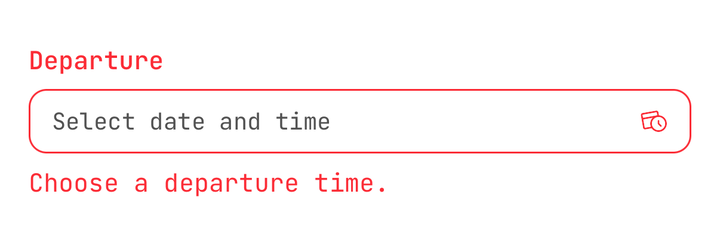
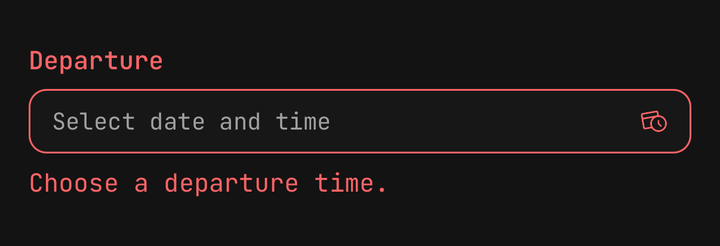
<Field isInvalid={when === null}>
  <Field.Label>Departure</Field.Label>
  <DateTimePicker isClearable value={when} onValueChange={setWhen} />
  <Field.Error>Choose a departure time.</Field.Error>
</Field>
Inside a Field the trigger takes isInvalid and isDisabled
with nothing said at the call site, names itself from Field.Label, and a tap on the label opens
the sheet. An explicit prop on the picker still wins. isReadOnly shows the value and never opens.
Inline
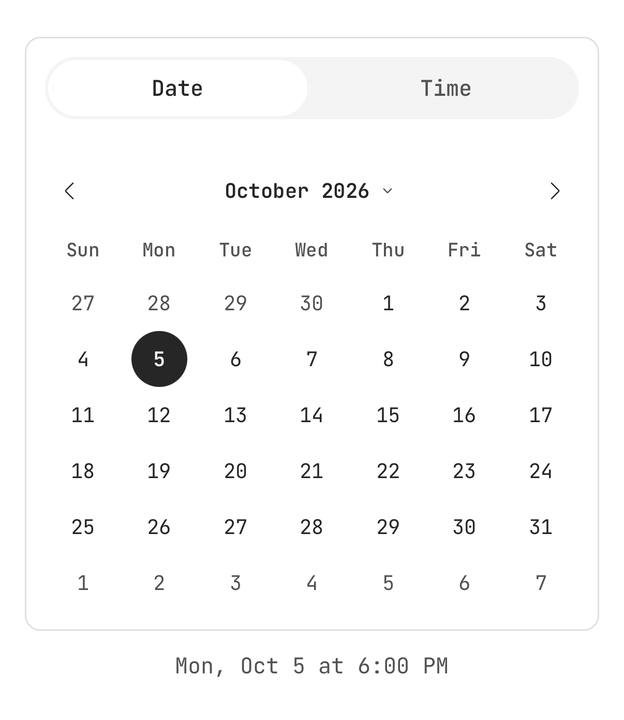
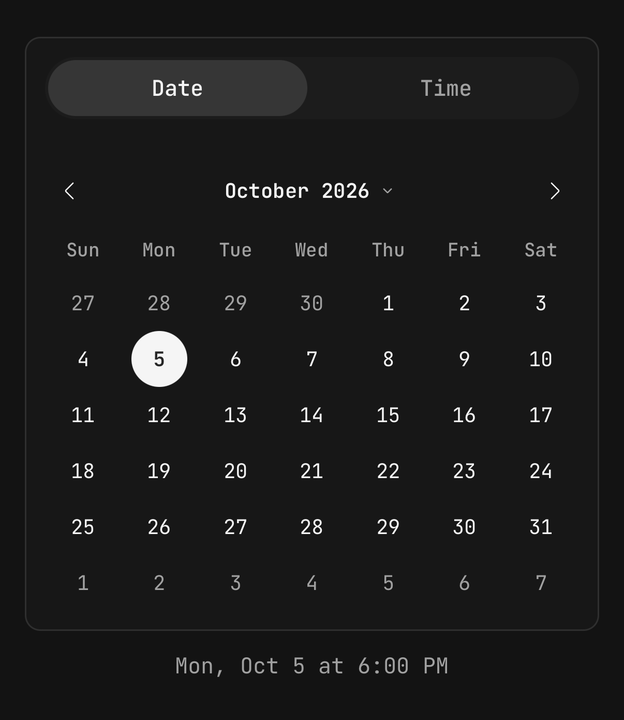
<DateTimePicker presentation="inline" value={when} onValueChange={setWhen} />Draws the panel on a card in place, with no trigger, no sheet and no Done. isDisabled freezes and
fades it too.
Composition
<DateTimePicker value={when} onValueChange={setWhen}>
  <DateTimePicker.Trigger />
  <DateTimePicker.Content title="Appointment">
    <DateTimePicker.Calendar />
    <DateTimePicker.Time />
  </DateTimePicker.Content>
</DateTimePicker>
In the tabs layout DateTimePicker.Content finds DateTimePicker.Calendar and
DateTimePicker.Time among its children and puts each in its tab; anything else follows the tabs.
Its footer prop replaces Done (and Clear).
Accessibility
- The trigger is a button named by
accessibilityLabel, else the field's label, else "Date and time". Its value is read in full — "Monday 5 October 2026 at 3:30 PM", or "not set". - Done announces the composed value: "Selected Monday 5 October 2026 at 3:30 PM".
- The tabs are a tab list; the calendar reads every day by its full date, and each wheel column is
one adjustable element. In
stacked, the time row is a button that reports itself expanded.
API Reference
Anatomy
| Part | What it is |
|---|---|
DateTimePicker | Owns the value, the open state and the active tab |
DateTimePicker.Trigger | The Input-shaped button that opens the sheet |
DateTimePicker.Value | The formatted value, or the placeholder |
DateTimePicker.Icon | The calendar-and-clock glyph — muted, destructive while invalid |
DateTimePicker.Content | The sheet — scrim, close, title, panel, footer. Inline, the panel on a card |
DateTimePicker.Calendar | A single-day Calendar, bound to the picker |
DateTimePicker.Time | A readout row and the time wheel, bound to the picker |
DateTimePicker.Clear | Sets the value to null and keeps the sheet open |
DateTimePicker.Done | Announces the value and closes the sheet |
DateTimePicker
Prop
Type
DateTimePicker.Content
Prop
Type
useDateTimePicker
Reads the enclosing picker from a custom part: value, setDate, setTime, setValue,
display, isOpen, open, close, done, clear, activeSection, setActiveSection,
timeBoundsForDate, isDisabled, isInvalid, isReadOnly, locale and hourCycle.
useDateTimePickerContext() returns null outside a picker instead of throwing.
Value helpers
| Helper | What it does |
|---|---|
compareDateTimes(a, b) | Orders by date, then time |
clampDateTime(value, min, max) | Pulls a value inside the window |
timeBoundsForDate(date, min, max) | The time bounds a day carries, or null outside the window |
toNativeDate(value) / fromNativeDate(date) | Local-field Date interop |
formatDateTime(value, { locale, hourCycle }) | The trigger's text |
serialiseDateTime(value) / parseDateTime(text) | YYYY-MM-DDTHH:mm, no zone |
isDateTimeValid(value, rules) | Real, inside the window, on an allowed day |