NumberInput
A number between a minus and a plus — tap, hold to repeat, or type.
Installation
NumberInput ships with the library — install it once, then import:
import { NumberInput } from "@delacour/react-native-ui/number-input";Or copy the source into your project, to own and edit it:
bunx delacour@latest add number-inputUsage
import { Field } from "@/components/ui/field";
import { NumberInput } from "@/components/ui/number-input";
import { useState } from "react";
import { View } from "react-native";

export default function Example() {
  const [guests, setGuests] = useState<number | null>(2);

  return (
    <View className="flex-1 justify-center p-4">
      <Field>
        <Field.Label>Guests</Field.Label>
        <NumberInput value={guests} onValueChange={setGuests} min={1} max={10} />
        <Field.Description>Up to 10 guests.</Field.Description>
      </Field>
    </View>
  );
}
The value is number | null — null is empty. onValueChange fires on a committed change only: a
step, or typed text on blur or submit. It never fires per keystroke.
Bounds and step
min and max hold the value in range, and the stepper that would leave it dims. step is the
grid the value snaps to, measured from a finite min or from zero.
<NumberInput min={1} max={10} />
<NumberInput min={0} max={8} step={0.25} />
Every path — a tap, a hold, a commit, a controlled value — goes through one reconcile: round to the
precision, snap to the step, clamp to the bounds. Snapping near max never overshoots it: with
max={10} and step={3}, the top of the range is 9.
Pressing a stepper on an empty input starts from zero, held inside the bounds — never NaN.
Precision and formatting
precision is how many decimals are kept. Left unset, it is the decimals of step (or of a finite
min, if that has more), so a step of 0.1 counts to 1 exactly rather than to 0.9999999.
formatOptions formats the number at rest through Intl.NumberFormat — a currency, a unit, a
percentage. Focus the field and the formatting steps aside, leaving the bare number to edit.
<NumberInput
  defaultValue={1249.5}
  formatOptions={{ style: "currency", currency: "NZD" }}
  locale="en-NZ"
  precision={2}
  step={0.5}
/>
locale sets the separators the field reads and writes: 1.234,5 in de-DE is the same number
as 1,234.5 in en-NZ.
Typing and commit behaviour
While focused, the field takes anything on the way to a number — an empty string, a lone minus, a trailing separator — and nothing is committed until blur or submit. Then it either applies the reconciled value or, if the text spells no number, reverts to the last one. Pressing a stepper while typing commits the text first, then steps.
commitMode decides what an out-of-range number does on commit. clamp, the default, pulls it in.
validate keeps it and turns the input invalid, for a form that would rather say what is wrong:
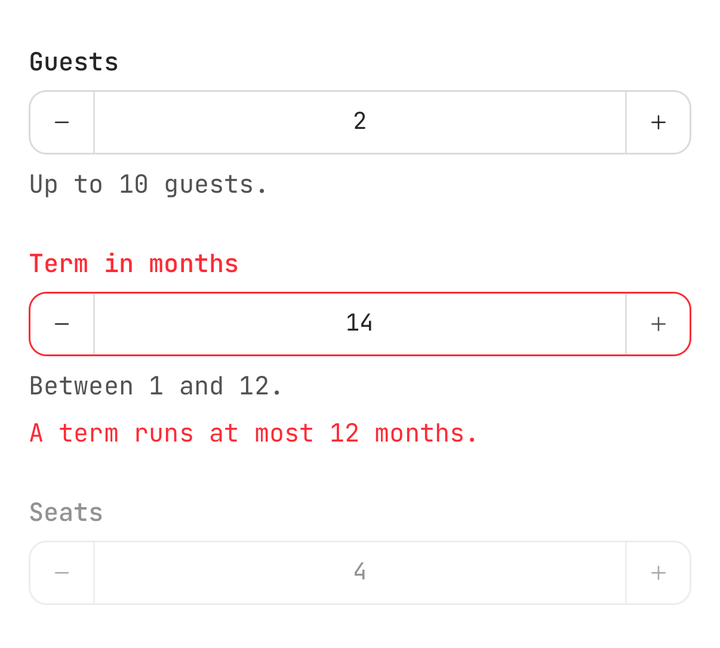
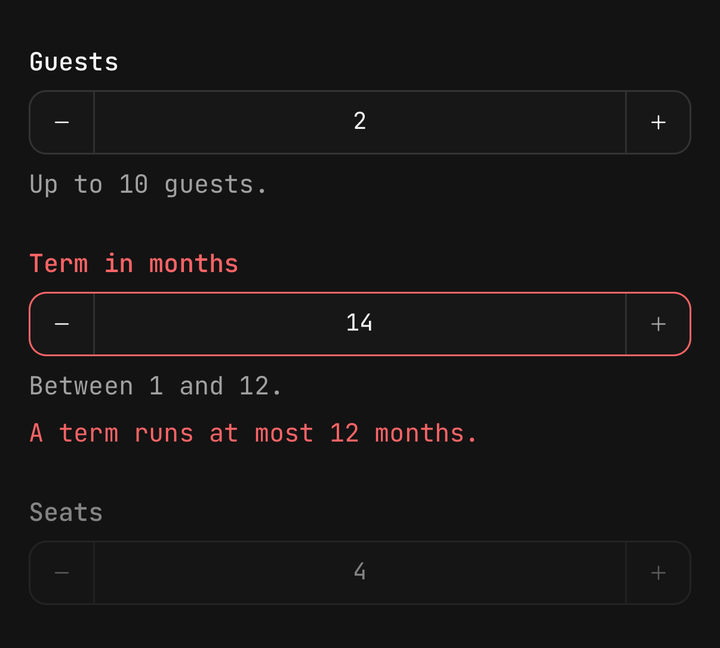
<Field isInvalid={months !== null && months > 12}>
  <Field.Label>Term in months</Field.Label>
  <NumberInput commitMode="validate" min={1} max={12} value={months} onValueChange={setMonths} />
  <Field.Error>A term runs at most 12 months.</Field.Error>
</Field>
The keyboard follows the grid: whole non-negative numbers get the numeric pad, decimals the decimal
pad. The iOS decimal pad has no minus key, so where min is below zero iOS gets the
numbers-and-punctuation keyboard instead.
isEditable={false} makes the steppers the only way in.
Hold to repeat
Holding a stepper steps once on touch-down, waits 400ms, then repeats — every 160ms for the first
five repeats, 90ms to the fifteenth, then 45ms. From the 25th repeat each tick moves
largeStepMultiplier steps (default 10; 1 turns it off). Releasing never adds a step.
The hold stops at a limit with one light haptic, rather than one per tick. Each applied step
plays haptic (default selection); haptic={false} silences both.
Custom anatomy
With no children the root renders Decrement, Field, Increment. Pass the parts to rearrange
them; position tells a stepper which side its separator faces.
<NumberInput defaultValue={1} min={1}>
  <NumberInput.Field className="text-left" />
  <NumberInput.Decrement position="end" />
  <NumberInput.Increment />
</NumberInput>
A part of your own can read the input through useNumberInput():
function Readout() {
  const { value, canIncrement } = useNumberInput();
  return <Text>{canIncrement ? value : "Full"}</Text>;
}
Sizes and variants
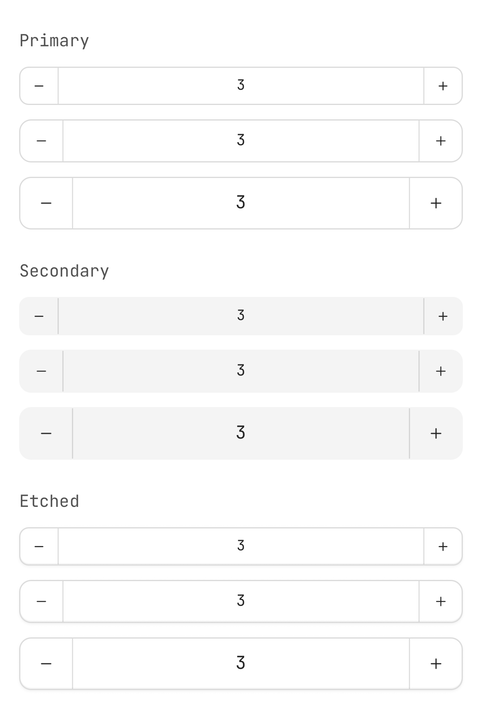
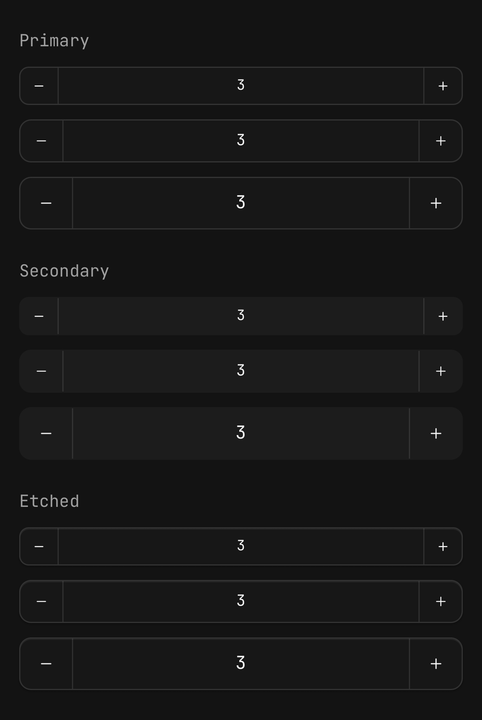
The box is Input's — it renders Input.Group — so it takes Input's variants and sizes and sits
flush beside an Input. A stepper is as wide as the box is tall: 44pt at md, and sm makes up
the difference with hit slop.
The field takes whatever width the row leaves it. Inside a parent that shrink-wraps its children —
items-center, say — there is nothing to take, and the field falls back to a 64pt floor; give the
input a width (className="w-56") when it holds a long formatted value.
<NumberInput variant="secondary" size="sm" />
<NumberInput size="lg" />
Accessibility
The field is adjustable, with increment and decrement actions, so a VoiceOver or TalkBack
swipe up or down steps the value without finding the buttons. Its value is announced formatted,
with min and max when they are finite.
The steppers stay reachable as buttons — "Decrease" and "Increase", overridable with
accessibilityLabel — and announce as dimmed at a limit.
Inside a Field, the label names the field and tapping the label focuses it.
API Reference
Anatomy
| Part | What it is |
|---|---|
NumberInput | Owns the value, the draft and the bounds. Renders Input.Group |
NumberInput.Field | The editable number — formatted at rest, bare while focused |
NumberInput.Decrement | The minus button. Tap to step, hold to repeat |
NumberInput.Increment | The plus button. Tap to step, hold to repeat |
NumberInput
Prop
Type
NumberInput.Field
Takes Input's props, less value, defaultValue, onChangeText, variant, size, isInvalid,
isDisabled and multiline, which the root owns. Merged over the root's inputProps; both sets of
focus, blur and submit handlers run.
NumberInput.Decrement and NumberInput.Increment
Prop
Type
useNumberInput
Returns value, draft, canDecrement, canIncrement, isFocused, variant, size,
isDisabled, isReadOnly, isInvalid, min, max, stepBy(direction, multiplier?) and
setValue(next). Throws outside a NumberInput; useNumberInputContext() returns null instead.
Helpers
The parse, format and step maths are pure and exported — parseNumberInput, formatNumber,
toEditableString, reconcile, stepValue, snapToStep, clampNumber, roundToPrecision,
resolvePrecision, getNumberSeparators — for a form that validates the same way the input does.